- s and devices;
- Touch devices support;
- Keyboard accessible inputs;
- Lightweight size — 1 kb gzipped;
- 32 options to customize checkboxes and radio buttons;
- 11 callbacks to handle changes;
- 9 methods to make changes programmatically;
- Saves changes to original inputs to work carefully with any selectors.
The website says that iCheck is verified to work in Internet Explorer 6+, Firefox 2+, Opera 9+, Google Chrome and Safari browsers. It should also work in many others.
Chosen
Web-site: https://harvesthq.github.io/chosen/
Github: https://github.com/harvesthq/chosen
Demo: https://harvesthq.github.io/chosen/
Price and License: Free, MIT License
Type: Library for making select boxes

Chosen is a library for making long, unwieldy select boxes more user friendly. This plugin supports a custom search filter where the user can type letters and automatically filter the results. The Chosen plugin has options for multi-select along with a “no results” display for search.
Features:
- Chosen automatically highlights selected options and removes disabled options;
- Chosen automatically sets the default field text (“Choose a country…”) by reading the select element’s data-placeholder value;
- You can easily limit how many options the user can select;
- All modern desktop browsers are supported (Firefox, Chrome, Safari, and IE9). Legacy support for IE8 is also enabled. Chosen is disabled on iPhone, iPod Touch, and Android mobile devices.
Selectize
Web-site: https://selectize.github.io/selectize.js/
Github: https://github.com/selectize/selectize.js
Demo: https://selectize.github.io/selectize.js/
Price and License: Free, Apache License 2.0
Type: Textbox creator
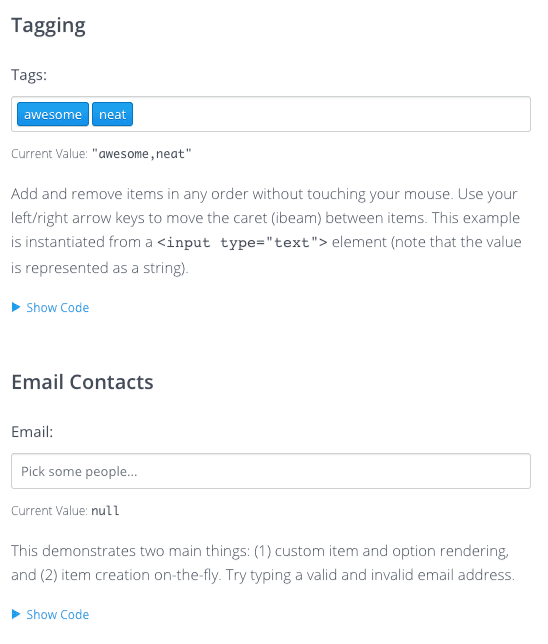
Selectize is the hybrid of a textbox and box. It’s jQuery-based and is useful for tagging, contact lists, country selectors, and so on. The Selectize.js plugin also works on select menus, but it combines the idea of a textbox with a dropdown select. This way users can pick many different items and submit your form with many options selected. But the input UX performs just like a select so it should feel familiar to everyone. It clocks in at around ~7kb (gzipped).
Features:
- Skinnable — Comes with LESS stylesheets;
- Clean API & Code + Extensible;
- Smart Ranking / Multi-Property Searching & Sorting;
- Caret Between Items;
- RTL supported;
- Remote Data Loading.
Vue Form Libraries
Vuelidate
Web-site: https://vuelidate.js.org/
Github: https://github.com/vuelidate/vuelidate
Demo: https://jsfiddle.net/b5v4faqf/
Price and License: Free, MIT License
Type: Form validation library
Vuelidate is a simple, lightweight model-based validation for Vue.js 2.0. Here’s what the creators write in their introduction post: “The biggest difference from other libraries you will notice is that the validations are completely decoupled from the template. It means that instead of providing rules for different inputs inside a template, you declare those rules for your data model. This is similar to how Ember does it.”
Features & characteristics:
- Model-based;
- Decoupled from templates;
- Dependency free, minimalistic library;
- Support for collection validations;
- Support for nested models;
- Support for function composition;
- Validates different data sources: Vuex getters, computed values, etc.
Vue select
Web-site: https://vue-select.org/
Github: https://github.com/sagalbot/vue-select
Demo: https://codepen.io/sagalbot/pen/NpwrQO
Price and License: Free, MIT License
Type: Dropdown component

Vue Select is a feature-rich select/dropdown/typeahead component. It provides a default template that fits most use cases for a filterable select dropdown. The component is designed to be as lightweight as possible while maintaining high standards for accessibility, developer experience, and customization.
Features:
- Tagging;
- Filtering / Searching;
- Vuex Support;
- AJAX Support;
- SSR Support;
- Zero dependencies.
Vee-validate
Web-site: https://logaretm.github.io/vee-validate/
Github: https://github.com/logaretm/vee-validate
Demo: –
Price and License: Free, MIT License
Type: Form validation library
VeeValidate is a template-based validation framework for Vue.js that allows you to validate inputs and display errors.
Being template-based you only need to specify for each input what kind of validators should be used when the value changes. The errors will be automatically generated with 40+ locales supported. Many rules are available out of the box.
Features:
- Template-based validation that is both familiar and easy to set up;
- i18n Support and error Messages in 40+ locales;
- Async and Custom Rules Support;
- Written in TypeScript;
- No dependencies.
VeeValidate tackles the major pain points of form validation and addresses them in the most flexible way possible:
- Ability to craft complicated UX for your users;
- Most common validations are built-in;
- Cross Field validation;
- Utilities to enhance the accessibility and styling of your form;
- Localization is built-in to the core.
Angular Form Libraries
Formly
Web-site: https://formly.dev/
Github: https://github.com/ngx-formly/ngx-formly
Demo: https://formly.dev/examples/introduction
Price and License: Free, MIT License
Type: Angular Form Builder
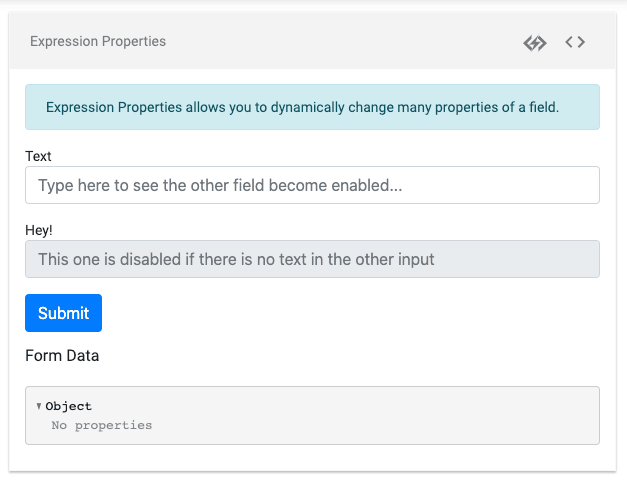
Formly is a dynamic (JSON powered) form library for Angular that brings unmatched maintainability to your application’s forms.
Features:
- Automatic forms generation;
- Easy to extend with custom field type, validation, wrapper and extension;
- Support multiple schemes;
- A bunch of themes out of the box.
Advantages of using Angular Formly:
- No need to write template code as it’s all in the form fields in the component typescript file;
- Easy custom validation and error messages.
Schemaform
Web-site: http://schemaform.io/
Github: https://github.com/json-schema-form/angular-schema-form
Demo: http://schemaform.io/examples/bootstrap-example.html
Price and License: Free, MIT License
Type: Form builder

Schema Form is a form builder library for Angular to generate complex web forms from JSON Schema. It can also validate form fields against that same JSON schema. There are also many third-party add-ons you can integrate with Schema Form, such as WYSIWYG editors, datepickers, color pickers, font-pickers.
Features:
- Validates the form using a JSON Schema;
- Fine tune presentation with a form definition, change field types, change order;
- Lots of basic form types out of the box;
- Supports array with drag and drop or in tabs.
Form Libraries for multiple frameworks
Surveyjs
Web-site: https://surveyjs.io/Library
Github: https://github.com/surveyjs/survey-library
Demo: https://surveyjs.io/Examples/Library
Price and License: Commercial, 499 Euro
Type: Survey and Forms Library

Survey.js is a javascript form and survey library. The SurveyJS Library has versions for several popular JavaScript Frameworks. Examples are available for Angular2+, jQuery, Knockout, React, and Vue.js.
Main Features:
- A lot of question types with a lot of built-in functionalities;
- Multiple Pages Support;
- Dynamically change survey logic and questions content;
- Localization and Multiple language support;
- Custom Rendering;
- Bootstrap support.
Multiple-select
Web-site: http://multiple-select.wenzhixin.net.cn/
Github: https://github.com/wenzhixin/multiple-select
Demo: http://multiple-select.wenzhixin.net.cn/examples
Price and License: Free, MIT License
Type: Forms Extension Library
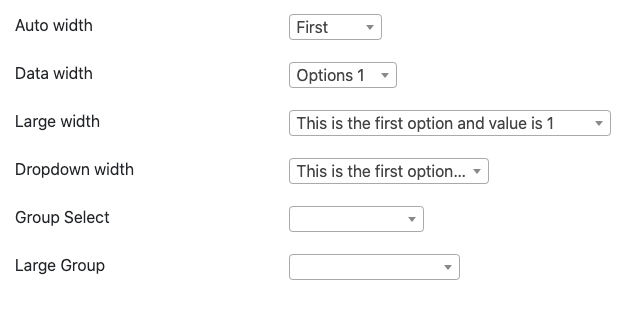
Multiple Select gives web developers a massive and well-documented jQuery solution for implementing forms with checkboxes that would require mass selection or multiple orientations for a single purpose.
Features:
- Default option allows showing a checkbox;
- Ability to group elements;
- Supports showing multiple items in a single row;
- Select all options.
- Feature to show the placeholder.
Conclusion
We’ve had a look at key products that help create and validate forms. A common feature of libraries is that all of them usually allow not only building forms but also validating them. Our collection also includes several libraries that extend the functionality of forms: checkboxes, text boxes and radio buttons.
This is worth mentioning again: it’s important to look at the features of each library and select one that is most suitable for your needs.
If you notice that we missed an important product in our selection, please write to us.